v3.2 [Feb 20, 2013]
-Numerous stability and plugin compatibility fixes.
- Don't stretch the SceneView 2 background image (like old SceneView) - there's an option.ini switch to turn on stretch (see help).
- Fixed a problem where shortcut keys were not correctly disabled in Scene Manager.
- Usability enhancements to Scene Manager, including insert/remove/up and down buttons as well as options to hide portions of the interface.
- Korg nanoKontrol 2 control surface definition.
- Larger MIDI meter in SceneView 2.
- Numerous help updates.
v3.0 [May 11, 2008]
- 64 bit version
- Multiple output VSTi/DXi support - each stereo pair of a virtual instrument now has
independent routing, inserts, mix (see console Mix tab)
- Supports VST plugins with up to 8 inputs - only the 1st two channels are used. This is
to enable support for complex processors like The Glue compressor
- Improved hardware adaptation: Rename MIDI Ports with custom names
- Improved Scene Access: Quick scene picker menu: Left click on scene list in header
- Improved MIDI Filters: 4 key ranges in midi filters to support dead zones, layers, chords,
etc.
- Improved per-Scene Blob Control: Changed scene command blob options for finer
- control: Options now named: No, Auto, Yes, in addition to not-per-Scene
- MIDI Monitor for plugins - visually determine what MIDI is making it to a plugin
SceneView2
- New Scene Manager for better management of sets
- More MIDI automation options for scene changes
- Up to 8 "Quick Access" scenes re-callable via MIDI automation for immediate access
regardless of set order
- Global transpose options assignable to scenes, songs, sets, or the entire rack
- jBridge support to host both 32 bit and 64 bit VST plugins
- Audio and MIDI I/O devices are now rediscovered on rack creation or load.
- Enhanced MIDI Panic to stop the audio engine, reset all MIDI ports, and restart audio.
- Offline Operation: When loading a rack that is missing audio or MIDI hardware, you can
now either adapt the rack to new hardware or choose to run the rack in "offline" mode.
- Offline mode creates "proxy" devices to simulate all audio and MIDI hardware. This rack
will not stream audio or receive MIDI but it can be used for limited rack editing.
- Improved MIDI filter editing features
- Copy channel or port mappings to clipboard (as XML)
- Paste channel or port mappings from clipboard
- Copy current channel map to all channels on the port (current plugin, current scene)
- Reset a channel to pass through (unity)
- Copy current port map to all ports (current plugin, current scene).
Forte 3 can load rack files created in Forte 2. However, a rack saved in Forte 3 may lose some functionality when loaded in Forte 2.
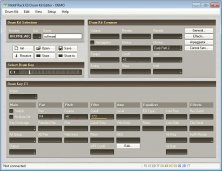


A package which integrates : Total Librarian, Voice Editor, Mix Editor and more.